Technical
Technical
API Integration Guide
AI voice agent, AI phone calls, automated calling, voice AI, AI outbound calls, AI inbound calls, voice automation, AI agent configuration, AI call center, intelligent voice assistant, conversational AI, voice AI platform, AI telephony, automated voice calls, AI voice technology, voice AI solution, AI call automation, voice AI agent, AI phone system, automated phone calls, AI voice service, voice AI software, AI call management, intelligent call routing, AI voice integration, voice AI API, AI call analytics, voice AI analytics, AI call tracking, sentiment analysis, call sentiment, AI call insights, voice AI dashboard, AI call reporting, automated follow-up calls, AI appointment scheduling, AI lead qualification, AI customer service, AI sales calls, AI marketing calls, AI voice campaigns, bulk calling, automated outreach, AI voice bot, voice chatbot, AI conversation, natural language processing, speech recognition, voice recognition, text-to-speech, speech-to-text, AI voice synthesis, multilingual AI, AI language support, voice AI customization, AI agent prompts, AI prompt engineering, voice AI configuration, AI agent training, prebuilt AI agents, AI agent templates, voice AI wizard, AI agent builder, custom AI agents, voice AI deployment, AI call setup, SIP trunk integration, telephony integration, cloud PBX, VoIP integration, API integration, developer API, voice AI SDK, voice AI tools, CRM integration, business automation, call center automation, customer service automation, sales automation, marketing automation, lead generation automation, appointment booking automation, follow-up automation, voice AI ROI, call value measurement, AI call metrics, call performance analytics, voice AI best practices, AI voice tips, voice AI guide, voice AI tutorial, AI voice implementation, voice AI strategy, voice AI optimization, voice AI scaling, enterprise voice AI, small business voice AI, voice AI for business, voice AI platform, Suarify, Suarify AI, Suarify platform, Suarify voice AI, Suarify automation
Suarify Team•January 1, 2026•02:00 PM•10 min read
🚀 API Integration Guide
Integrating Suarify AI into your application is effortless — no complex trunk setup, no heavy configuration. With just a few clicks, you can generate your API key, make your first outbound AI-powered call, and start managing inbound agent settings instantly.
🔑 Get Your API Key
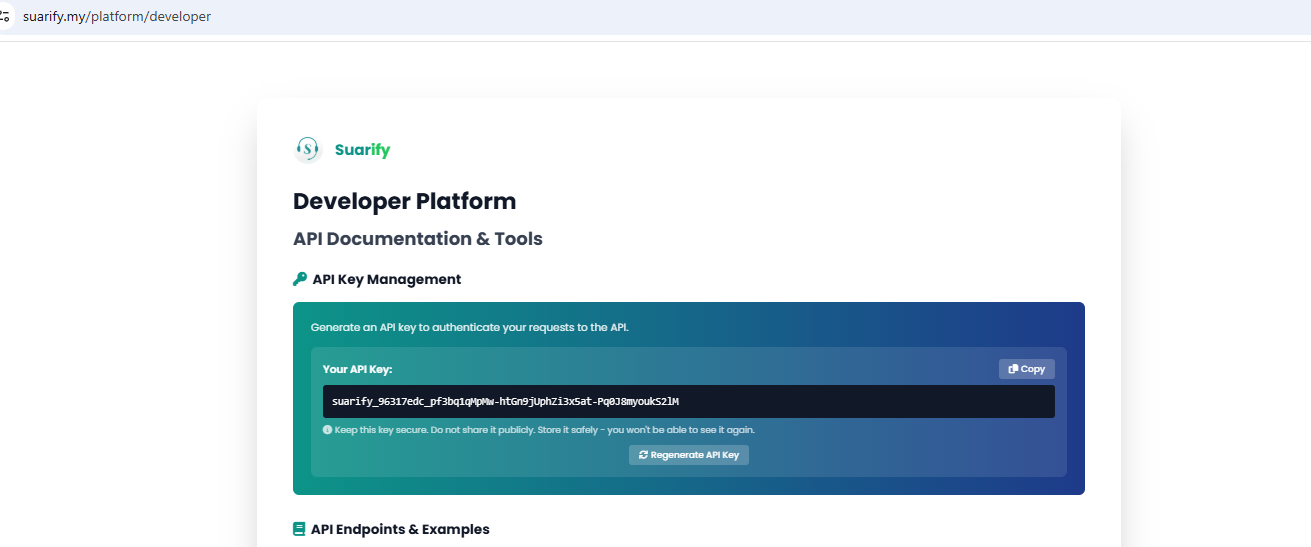
1. Log in to the Suarify Developer Portal: suarify.my/platform/developer
2. Generate your API key in seconds — no setup required.
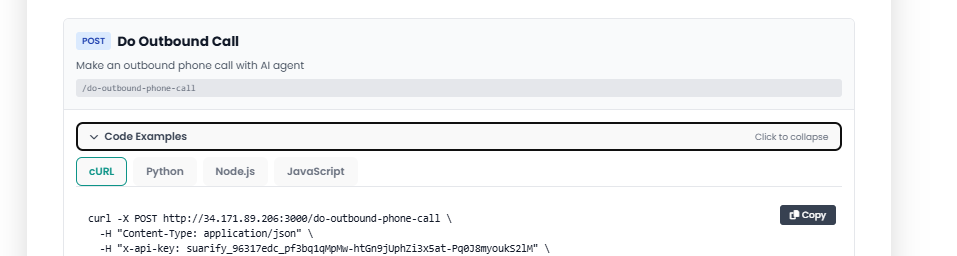
Your API key is the gateway to Suarify’s voice AI integration.
📞 Make Your First Outbound Call
With your API key ready, you can immediately trigger real outbound calls using our AI agents.
No manual trunk setup, no infrastructure headaches — just plug in your key and start calling.
⚙️ Configure Inbound Agents
Beyond outbound calls, Suarify makes it simple to:
- Configure inbound AI agent settings
- Route calls intelligently with zero manual trunk setup
- Monitor inbound call logs and outbound call logs in real time
📊 Why Developers Love Suarify
- Immediate integration — start calling within minutes
- Zero infrastructure setup — trunking, routing, and scaling handled for you
- Full visibility — access detailed call logs for both inbound and outbound traffic
- Flexible configuration — tailor AI agents to your workflows
🚀 Next Steps
- Explore the full API documentation in the Developer Portal